We're loading the full news article for you. This includes the article content, images, author information, and related articles.
A step-by-step guide to the fully digitized 2026 NTSA driving licence renewal process, highlighting new features and common pitfalls to avoid on e-Citizen.
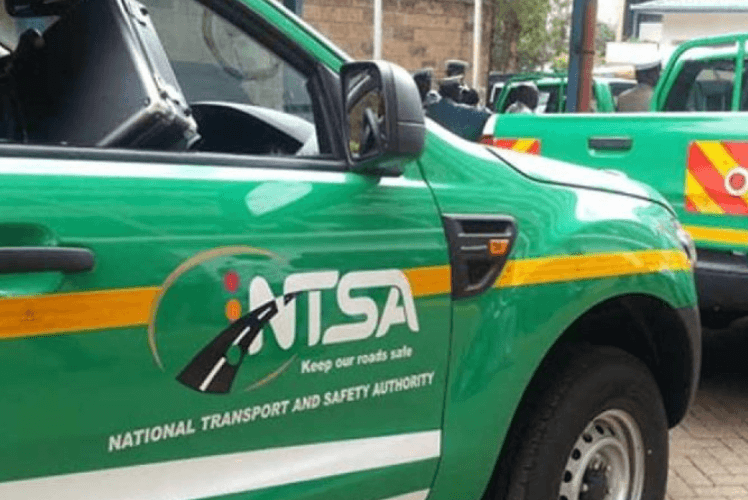
Gone are the days of long queues at Times Tower. The National Transport and Safety Authority (NTSA) now offers a fully online driving licence renewal process via the e-Citizen portal, streamlining what used to be a time-consuming task into a matter of minutes.
The renewal process has been integrated into the government’s unified e-Citizen platform, eliminating the need to physically visit NTSA offices for many motorists. You can now:
Log in and apply online using your national ID and e-Citizen credentials.
Pay fees electronically with M-Pesa, debit/credit cards, or other mobile money options.
Download and print proof of renewal immediately after payment.
Sign in or Register on e-Citizen
Visit the e-Citizen portal and log in using your national ID number and password. If you don’t have an account, create one first.
Access NTSA Services
From the dashboard, select National Transport and Safety Authority and then Driving Licence Renewal.
Confirm and Update Details
Ensure that your name, ID number, and licence details are accurate. If your driving licence details aren’t linked to your KRA PIN or national ID, the system may not recognise your record — a known issue that can cause delays or lockouts.
Choose Licence Duration and Pay
Select whether you want a 1-year or 3-year renewal, and complete payment online. e-Citizen supports multiple payment methods at this stage.
Download Your Renewal Slip
Once payment is successful, download and print your renewal acknowledgment slip — this serves as your valid driving licence proof until the smart card is ready.
Book Collection (If Required)
For some renewals, particularly when biometric updates are necessary, the system will prompt you to book an appointment at a Huduma Centre or NTSA service centre for data capture — such as fingerprints and a new photo.
If biometric capture is required (e.g., for a smart licence card), you’ll need to attend the appointment you booked. Your interim slip remains valid until the card is issued.
Smart Driving Licences now embed biometric data and a microchip for added security.
Ensure e-Citizen details match official records: mismatches between your licence, KRA PIN and ID details can lead to system lockouts or delays; checking this ahead of time can save frustration.
Renew before expiry: renewing early avoids penalties and helps you remain compliant with traffic laws.
Have documents ready: if a biometric visit is needed, carry your national ID and renewal slip to the appointment.
This digital shift reflects wider government efforts to modernise public services, cutting red tape and giving motorists a faster, more convenient renewal experience without endless queues. By centralising services under e-Citizen, renewals can be completed remotely with secure payment and real-time acknowledgments — a significant upgrade from the traditional paper-based process.
Keep the conversation in one place—threads here stay linked to the story and in the forums.
Sign in to start a discussion
Start a conversation about this story and keep it linked here.
Other hot threads
E-sports and Gaming Community in Kenya
Active 9 months ago
The Role of Technology in Modern Agriculture (AgriTech)
Active 9 months ago
Popular Recreational Activities Across Counties
Active 9 months ago
Investing in Youth Sports Development Programs
Active 9 months ago